

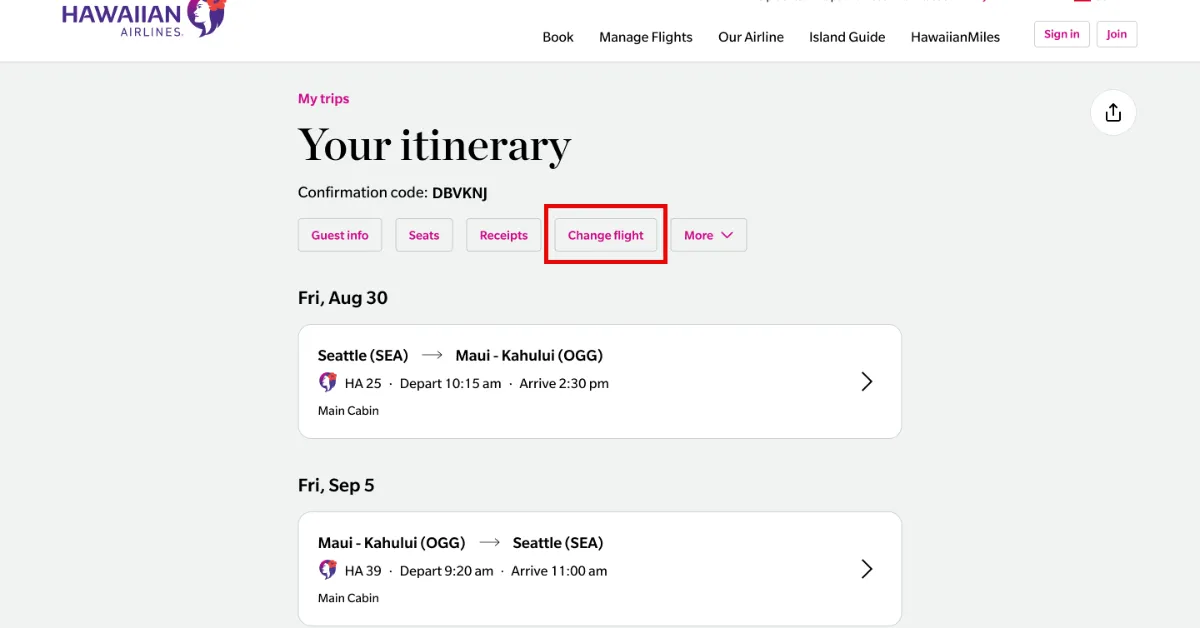
When you're preparing for a trip to the islands, the excitement can sometimes be dampened by the logistics of travel. Plans change, typos happen, and sometimes you just want to make sure you’re sitting in the right seat before you head to the airport. The Hawaiian Airlines Manage My Booking tool is designed to take the friction out of these adjustments, acting as a central hub for your itinerary.
Whether you need to swap a flight, add a bag, or simply verify that your middle name was spelled correctly on your ticket, knowing how to navigate this portal can save you a significant amount of time and potentially a few headaches.
Getting Started: How to Access Your Reservation
The first hurdle is actually finding your trip. You don't necessarily need a frequent flyer account to view your details, though having one certainly makes the process faster.
Finding Your Trip Without an Account
If you booked as a guest, you will need two specific pieces of information:
-
Confirmation Code: This is a six-character alphanumeric string (e.g., L6X3PR) found in your confirmation email.
-
Last Name: This must match the name exactly as it was entered during the booking process.
Once you have these, you can head to the "My Trips" section on the Hawaiian Airlines website. Enter the details, and the system should pull up your full itinerary. If you can't find your confirmation code, check your credit card statement—often the 13-digit ticket number starting with "173" is listed there, and the website can use that to find your booking as well.
Using the HawaiianMiles Portal
For those who are members of the HawaiianMiles program, the process is even simpler. By logging in, you can see a dashboard of all upcoming trips associated with your account. This is particularly useful if you have multiple legs of a journey or separate bookings for a family group.
What Can You Actually Change?
The Hawaiian Airlines Manage My Booking portal is fairly robust, but it isn't a "do-it-all" button. There are specific functions available and others that might require a quick phone call.
Flight Changes and Rescheduling
If your schedule shifts and you need to fly out a day later or a few hours earlier, the portal allows you to search for new flights.
-
Fare Differences: While Hawaiian Airlines eliminated many change fees for standard Main Cabin and higher fares, you are still responsible for the "fare difference." If the new flight costs more, you'll pay the balance.
-
Main Cabin Basic: A word of caution here—if you purchased a "Main Cabin Basic" ticket, these are typically non-changeable and non-refundable. The portal might let you view these tickets, but the "Change Flight" button will likely be grayed out.
Seat Selection and Upgrades
This is perhaps the most popular use of the management tool. You can open the seat map for your aircraft and see what’s available.
-
Extra Comfort: If you decide you want more legroom, you can upgrade to Extra Comfort seats directly through the portal.
-
First Class Upgrades: Depending on availability, the system may offer you a paid upgrade to First Class. It’s often worth checking this a few days before departure, as prices can fluctuate.
Updating Personal Information
Small typos in a name or a missing date of birth can sometimes cause issues at the TSA checkpoint. You can usually update your contact information, email address, and Known Traveler Number (for TSA PreCheck) within the portal. However, significant name changes (like a completely different person) usually require a call to reservations and may involve a fee.
Managing Extras: Bags, Meals, and Requests
Beyond the flight itself, there are the "add-ons" that make travel more comfortable.
-
Pre-paying for Bags: You can add checked bags to your reservation before you get to the airport. In some cases, doing this online can save you a bit of time at the kiosk.
-
Special Assistance: If you require a wheelchair or need to notify the airline about a service animal, the Hawaiian Airlines Manage My Booking area has sections for special service requests.
-
Meal Preferences: For long-haul flights where meals are served, you can often specify dietary requirements (like vegan or gluten-free) through the management tool, provided you do so at least 24 to 48 hours before departure.
When the Portal Reaches Its Limit
There are a few scenarios where the online tool might tell you to call a representative.
-
Third-Party Bookings: If you booked through a site like Expedia or Priceline, you might be able to view your trip on the Hawaiian Airlines site, but you often have to go back to the original booking site to make actual changes to the dates or times.
-
Complex Multi-City Trips: Sometimes the automated system struggles with complicated itineraries involving three or more stops. If the system gives you an error message, it's usually a sign that a human agent needs to "re-sync" the ticket.
-
Group Bookings: If you are traveling as part of a group of 10 or more, these reservations are handled by a separate department and usually cannot be modified through the standard consumer portal.
Why You Should Check Your Booking Regularly
Even if you don't plan on changing anything, it is a good habit to log into the Hawaiian Airlines Manage My Booking portal every couple of weeks leading up to your trip.
Airlines occasionally undergo "schedule shifts" where a flight time might move by 15 or 30 minutes. While the airline tries to email everyone about these changes, sometimes those emails end up in spam folders. By checking the portal, you ensure that you have the most up-to-date departure time and that your seat assignment hasn't been shifted due to an aircraft swap.
The interface is designed to be intuitive, but if things look "glitchy," clearing your browser's cache or trying the official Hawaiian Airlines mobile app often solves the problem.




Leave a Reply